Posting on Instagram is a very easy task, but the founder himself has to decide the content, theme and caption of the post.
The real issue isn't how to post; it’s the critical communication blunders you're repeating in every piece of content. Because here it is not about marketing or ads, the whole game is about communication.
You have created the post content, but why does your audience like it, what problem do you fix for them, did they understand your brand's message, why should they buy your product or not.
He will decide how far your brand will go, and how many sales will be generated.
So in this we will know what are those mistakes that you make knowingly or unknowingly, and how to stop and fix those mistakes.
Mistake 1: Missing or Lazy Instagram Captions
Suppose your brand is X and it's product Y. You create a beautiful image relevant to that product on your Instagram and upload it.
Some of the posts you upload are either just the image and forget the caption, or even if you write a caption, it's often without understanding, meaning you just include the details about the product, its location, and so on.
A good photo catches people's eyeballs, but captions drive sales. If you leave it blank, the customer won't know what the product is for or what satisfaction it will provide.
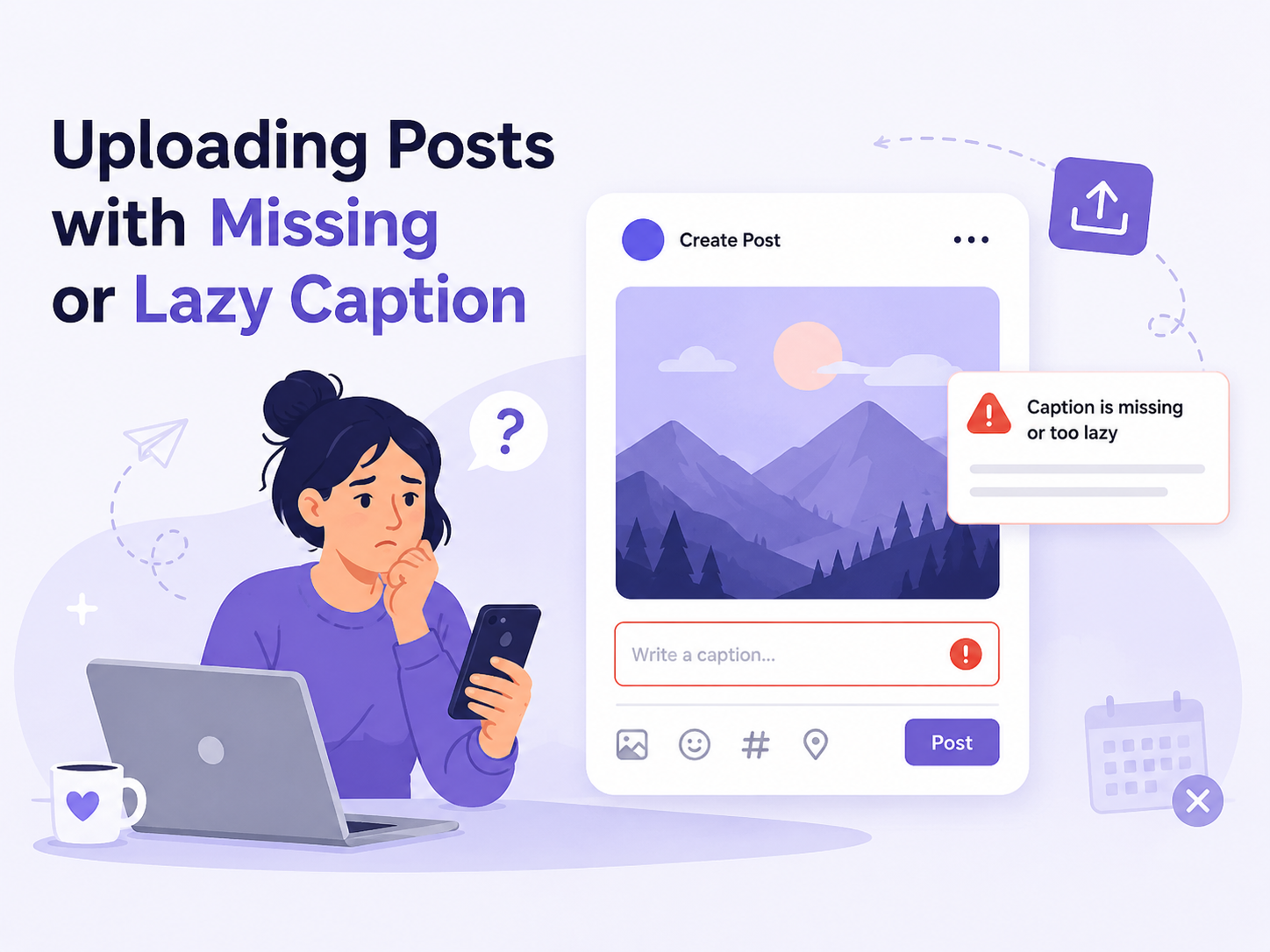
So, don't just post, but write captions that engage and inspire comments, so you can understand how serious the customer is about your product and what they think about it.
Mistake 2: Random, Feature-Only Captions
Now, although you've added a caption to your post, it's not over.
Here’s the hard truth: customers don't buy products, they buy their own expectations of what that product will do for them. That’s where sales happen. If you just write about yourself and explain the product's features, people will simply scroll past, no matter how unique or better your product is than your competitors.
A case study has shown that most customers don't want a product, but a solution/feeling or satisfaction; this can be determined by their behavior and habits.
The Colgate Case Study
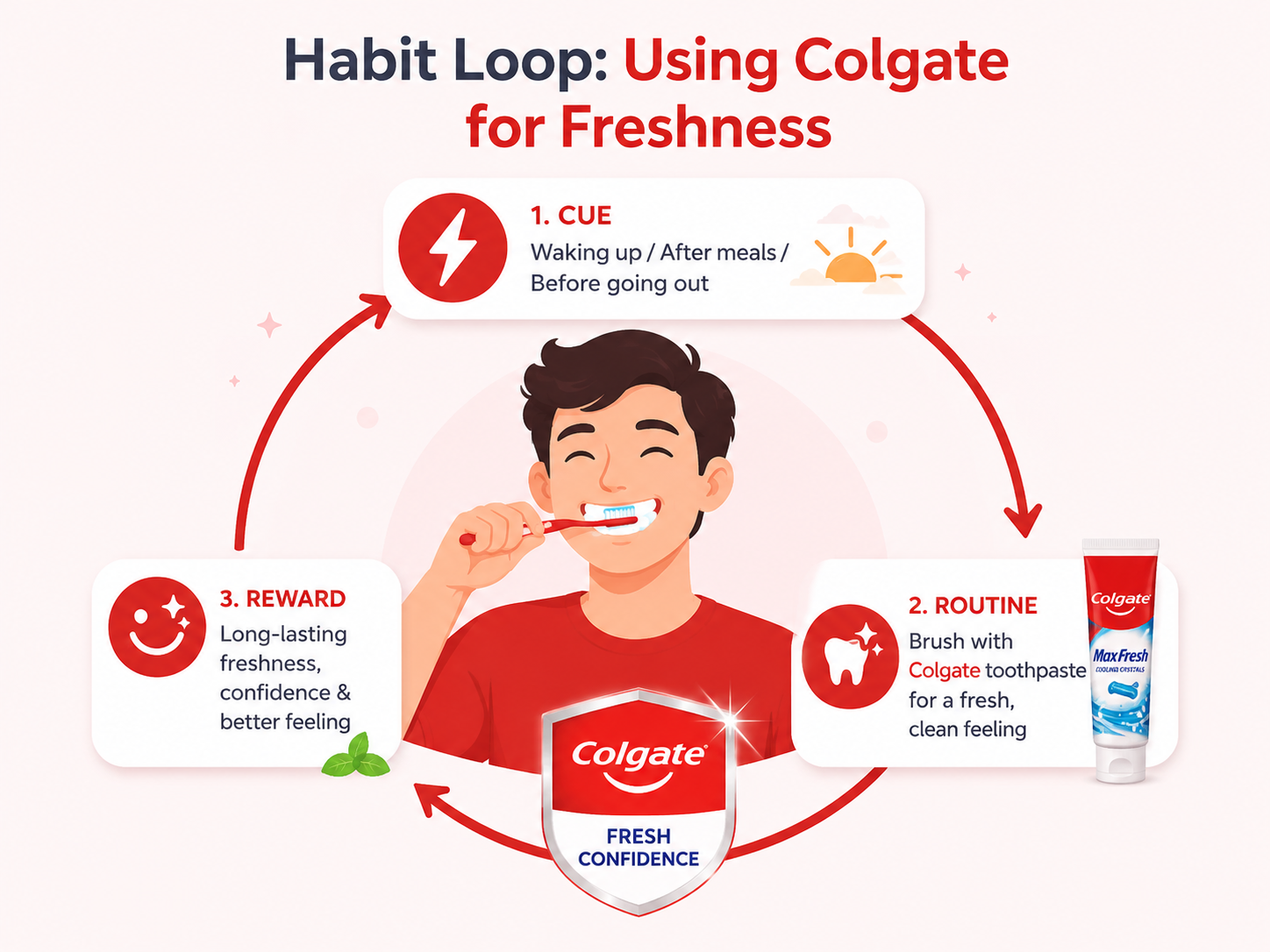
There are many toothpaste brands, but Colgate is the most popular. Why is that?
Because the brand doesn't actually sell toothpaste, yet people still think of toothpaste as Colgate.
It doesn't actually sell a product, it sells satisfaction. How do I explain that?
Most people like it because it makes them feel refreshed. In fact, this is central to Colgate's marketing strategy. It actually contains a chemical that makes the mouth feel fresh and fresh.
And if this feeling becomes a habit, people buy the brand again and again.
Although there was a toothpaste brand before it that invented it, and later other companies also try to copy it.
That's why, more importantly than just the features, the caption should include a story, a point, or a thought that connects customers with you.
Mistake 3: Generic AI Copy With No Brand Context
When you blindly copy-paste your caption, it can write fake information about your brand without even knowing your brand.
The AI only has information lying around; it doesn't know how to use it, your branding, strategy, content, and brand hook.
And hashtags are irrelevant and useless. That's why even today, instead of directly copying and pasting without proper information, double-check that it's written correctly. Don't be hasty.
Whatever message you deliver to your customers, you do it yourself; AI cannot do it.
If you want AI to do all this, you'll have to submit everything to the AI, including your branding.
This is difficult, and you might not even know how to write a proper prompt. You can use our tool to customize your branding.
For the full hook → body → CTA caption framework, read How to Write Social Media Captions That Actually Sell. Below is how to load your brand rules so AI drafts stay on-voice.
Let's see how.
How to Setup Branding In SocialShare
First, you need to go to Settings.
In Settings, you'll see six tabs at the top.
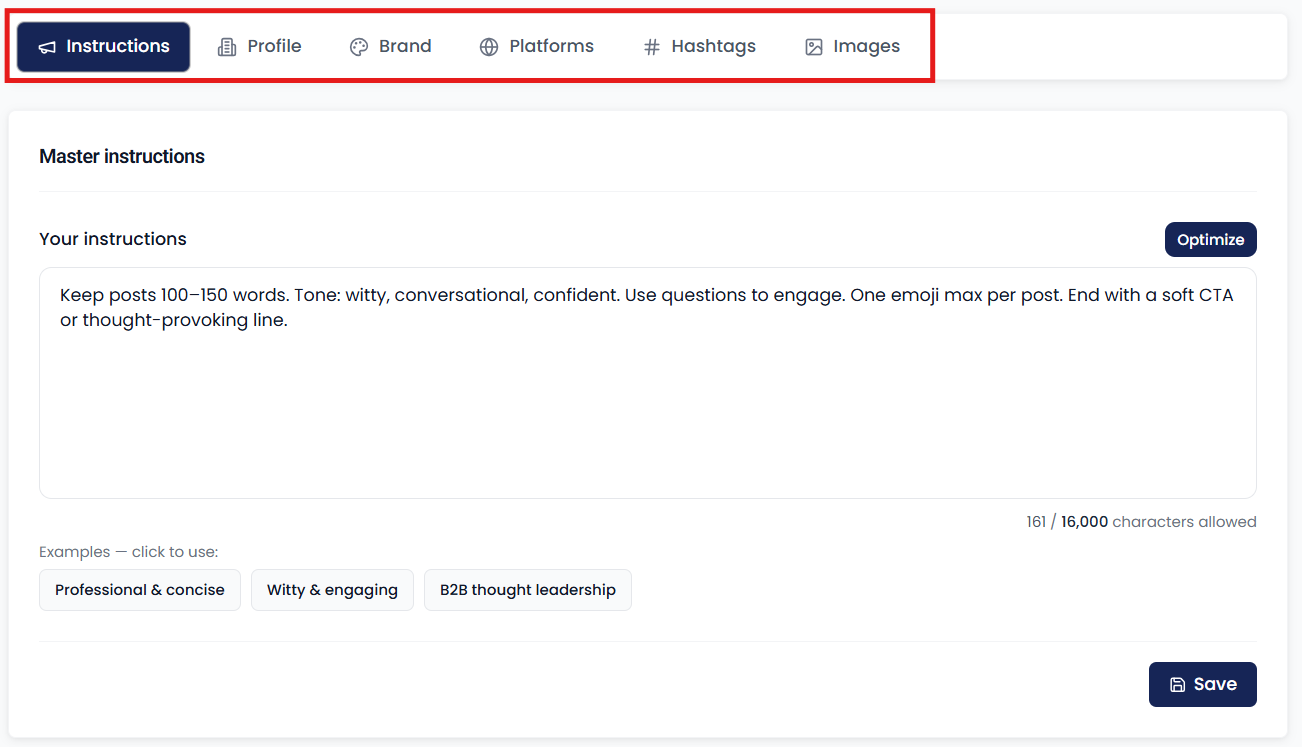
From there, select the Instructions tab.
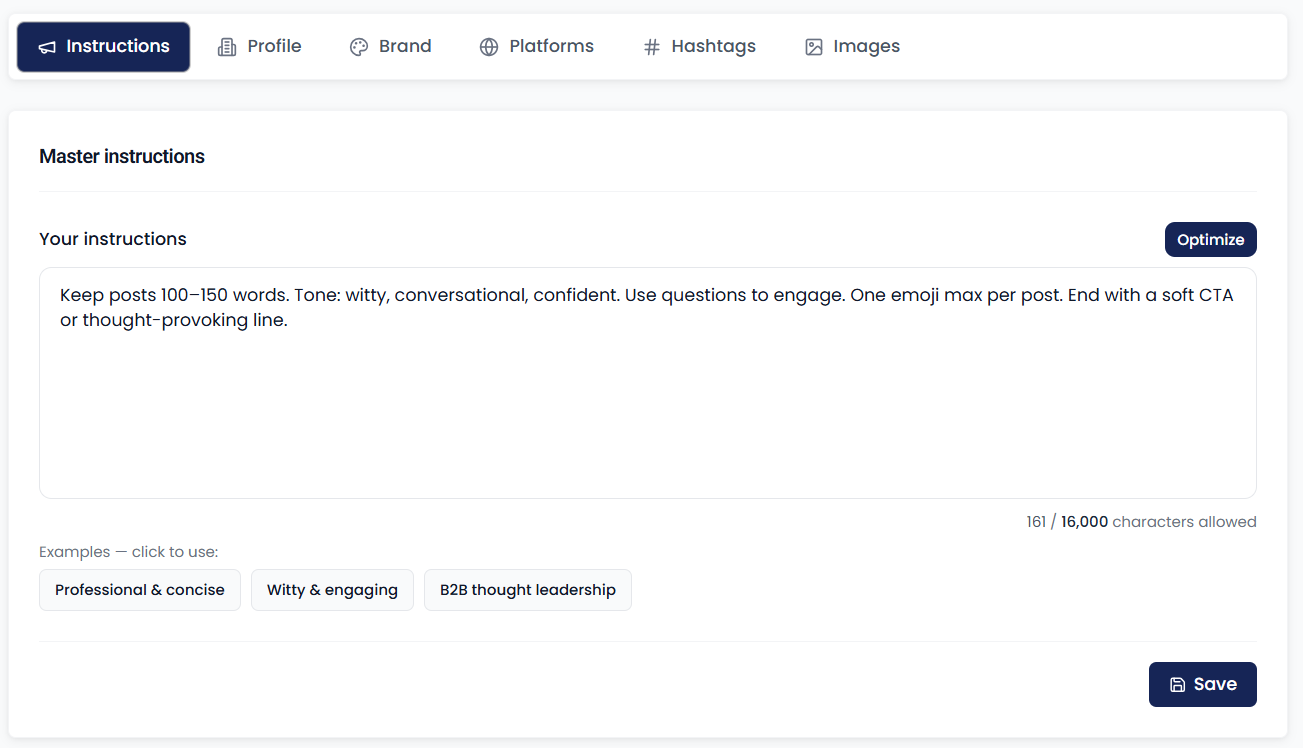
In this, you'll set global instructions that apply to everything, such as rules and regulations, and so on.
After that, move to the second tab.
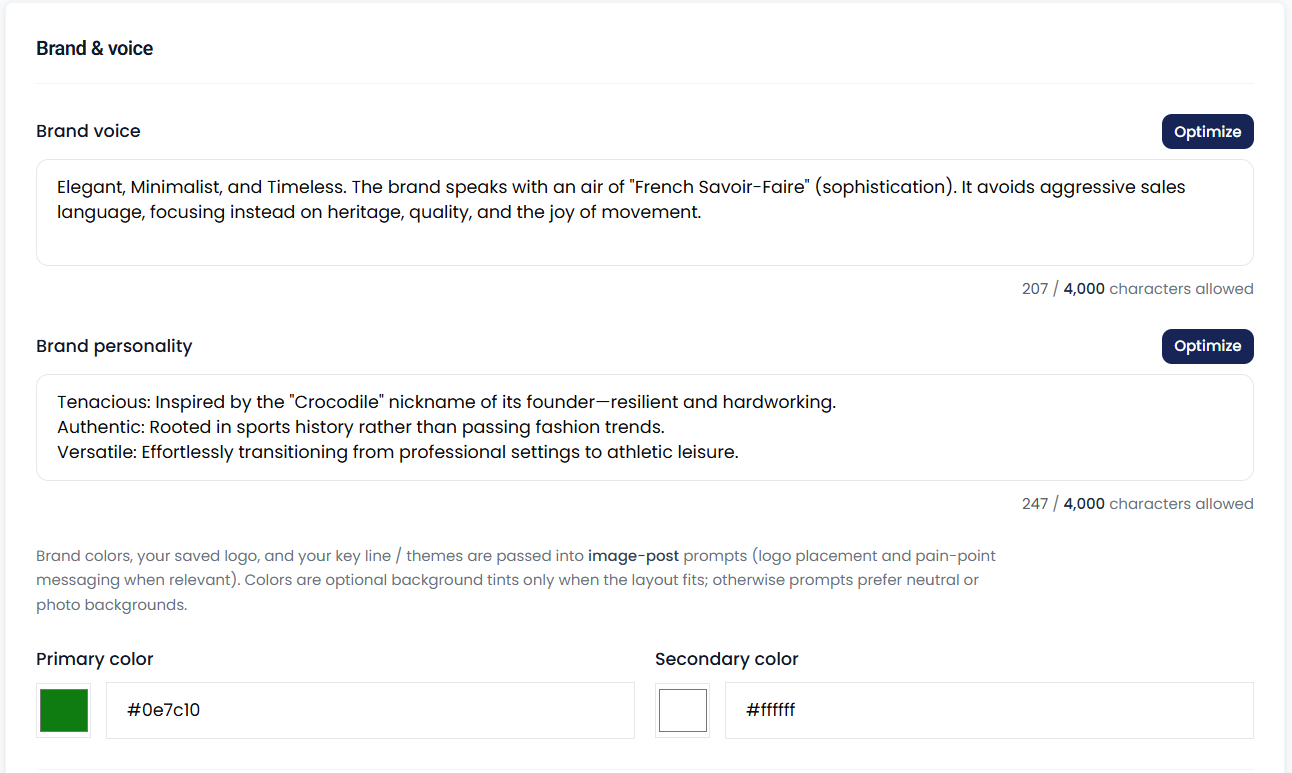
This tab will set your brand voice and brand instructions. These will also be used in post captions.
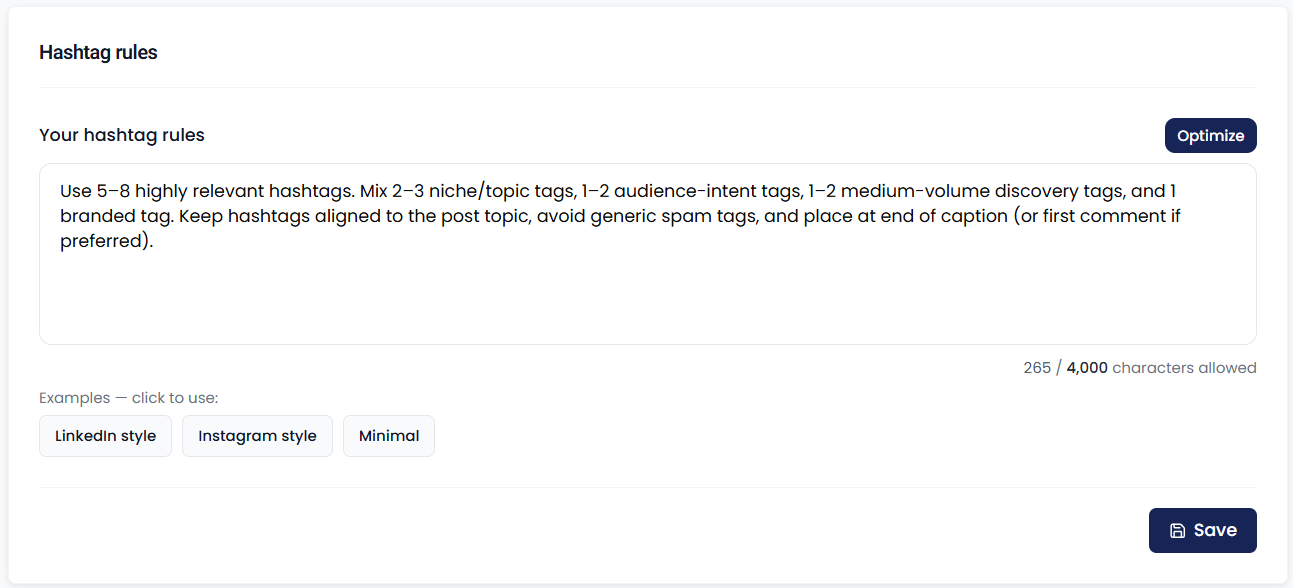
This will give you the option to customize your hashtags, allowing you to create separate rules for hashtags.
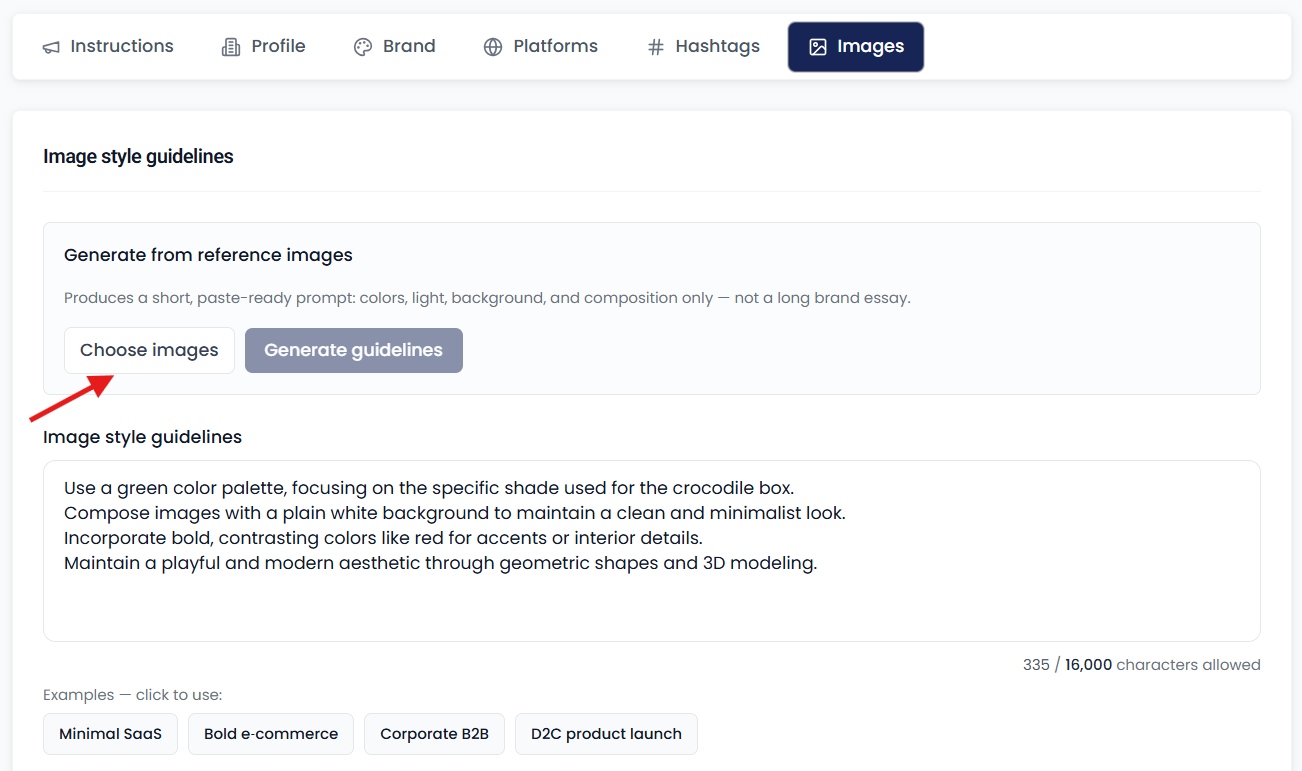
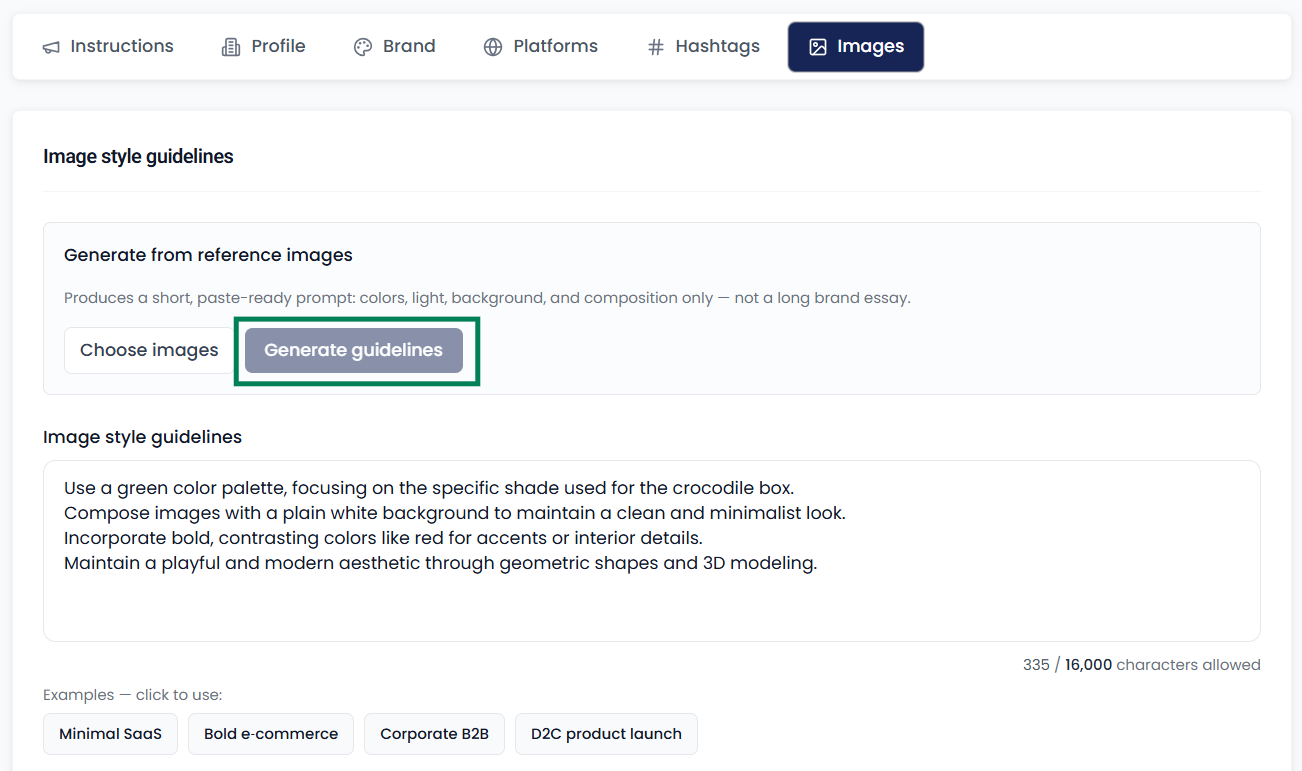
Even if you don't know how to write image instructions, there's no need to worry. You can generate instructions by uploading some of your best images.
It's important to save all of them to avoid losing data.
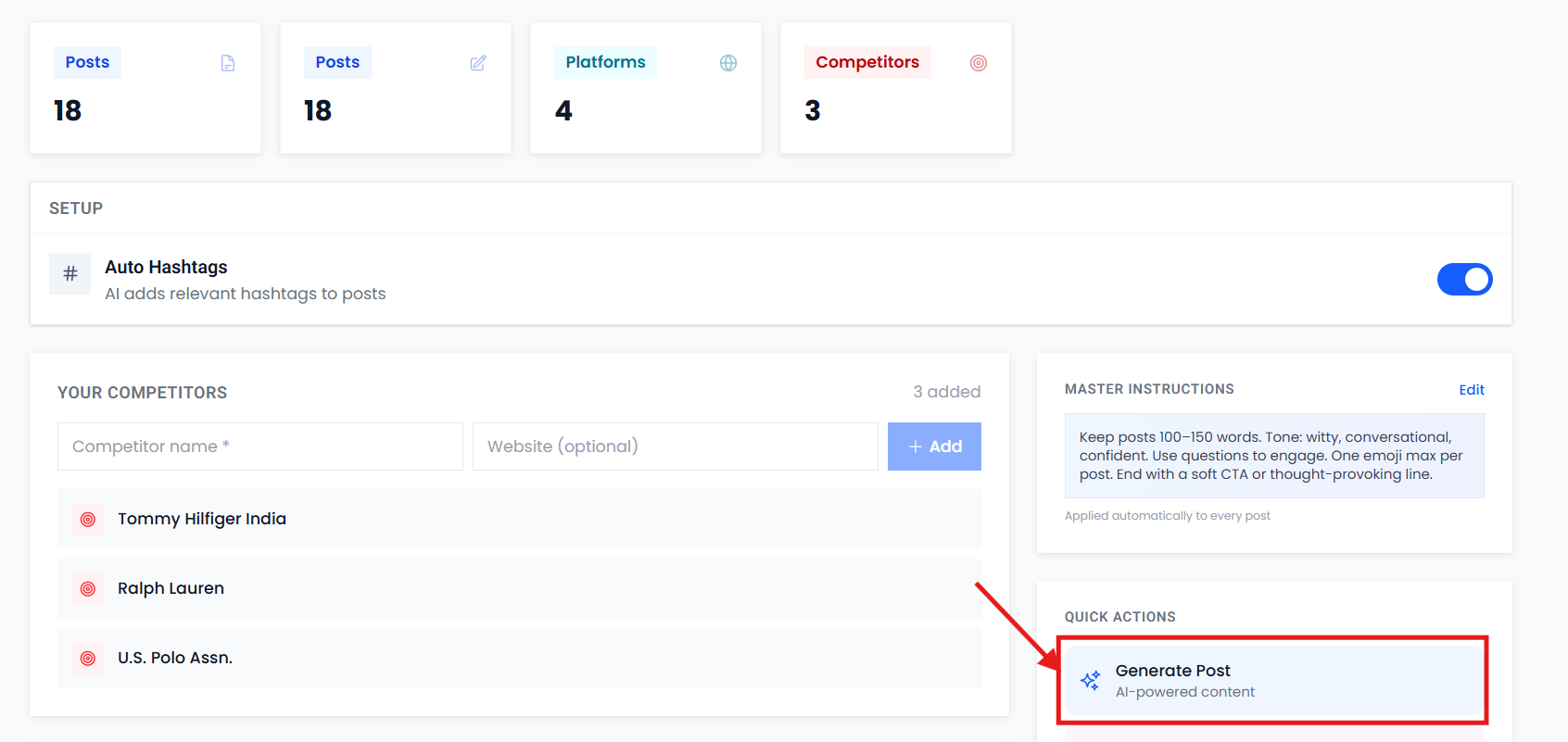
You only need to do this once; there's no need to enter it repeatedly.
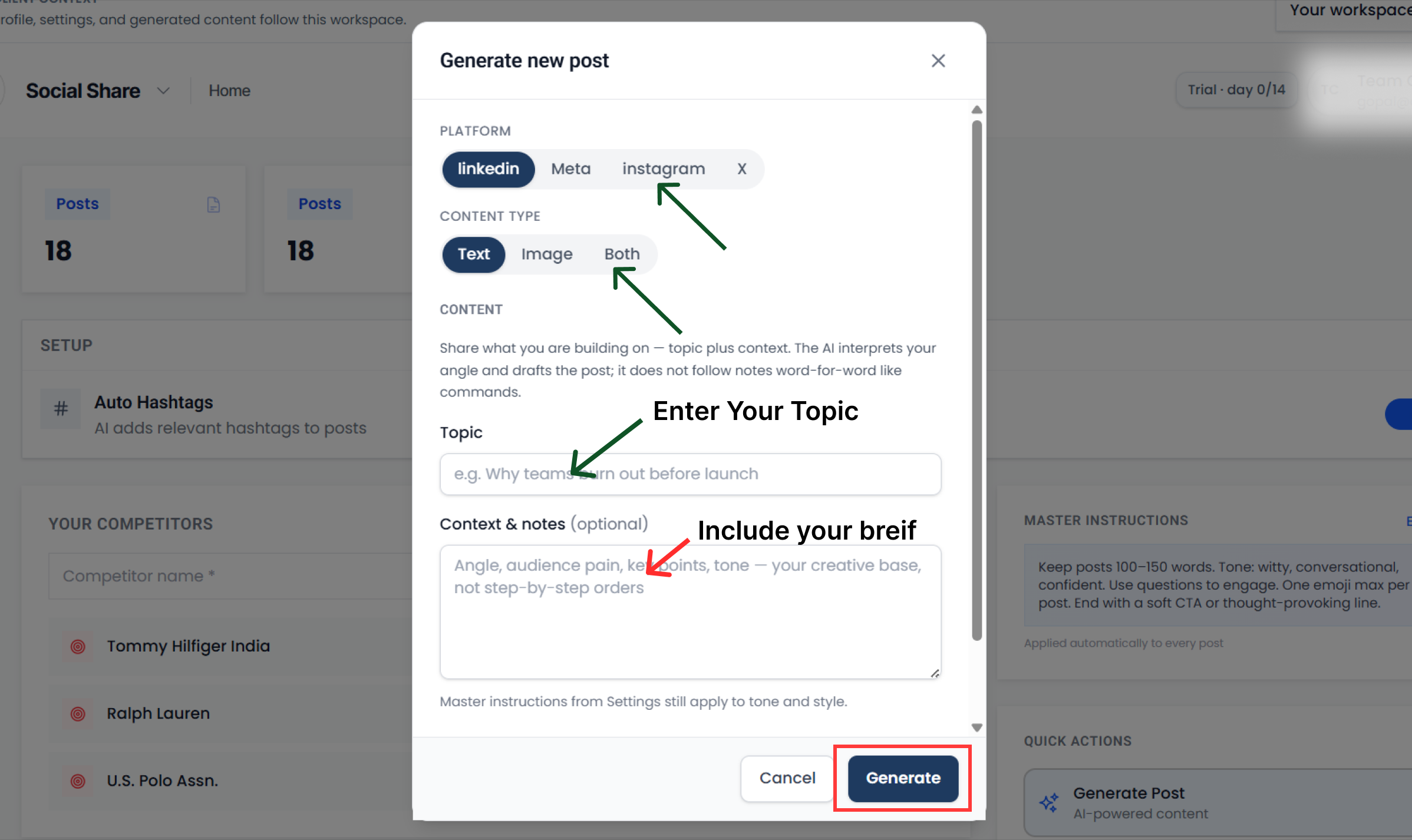
After that, return to Home, click "generate post," and enter your topic and details. The image prompt and caption will be generated for you.
After reaching this far, suppose there are some mistakes which you should not make at all.
Posting Only Reels Can Hurt Your Brand
Some founders, in their quest for impressions, resort to overbranding, such as uploading exclusively to Reels on Instagram.
This can make your brand sound desperate. If your account is new and you don't have any followers, new founders often upload only Reels. They can also add music to images of any aspect ratio, creating a Reel.
This clearly indicates to the platform that you're trying to promote yourself.
Instagram has evolved significantly and is also promoting new accounts, so you need to stay authentic rather than pushy.
If you still avoid these, there's another mistake you sometimes make: trends.
Instead of chasing trends, focus on your branding and fulfilling your customers' needs. People like trends, but they don't like them all that much.
Going viral is one thing, and building trust is another. Going viral will only increase impressions, but building trust will increase sales.
And now that we've discussed this, one more thing that new founders often don't know is the difference between a story and a reel.
Stories vs Reels: Reach vs Trust
Reels Just Like Salesman
The main purpose of Reels is to promote your brand to people who don't already know you. This is the top of your funnel.
- New Customers (Reach): The algorithm behind Reels is such that if your content is good, it will reach millions of people who don't already follow you. This is the cheapest and fastest way to get new followers and leads.
- Brand Identity: You can showcase yourself as an expert in your niche by creating short tips, educational content, product showcases, or informational videos based on trending audio.
- Long-Term Asset: A Reel created once can go viral even after months and bring you business.
Story Just Like Showroom
The main purpose of a story is to win the trust of people who have followed you and convert them into customers (conversion).
- Warm Audience: Stories are viewed by those who are interested in your brand. This is where you strengthen your relationship by being active daily.
- Authenticity: People buy from people, not businesses. In a Story, you can show how your product is made, who your team is, or what your office is like. This builds trust in the brand.
- Direct Sales: You can send people directly to the website by adding a link sticker to your story. By adding offers like "20% discount for only 24 hours," you can get people to take immediate action (FOMO - Fear of Missing Out).
- Feedback & Research: Polls and questions stickers let you get direct feedback on new product ideas from new and existing customers.
So then the question becomes, why post it at all? It's like someone going to the gym on their first day and complaining that their body isn't building.
Are Posts Work or Not?
If working out all day yielded results, everyone would do the same. If you could build a body on the first day at the gym, everyone would go to the gym. If you once gained weight by eating fast food, everyone would stop eating junk food.
The same is true with posts; posts are time-consuming.
From a branding perspective, posts are your brand's "portfolio" or "permanent catalog." When a new person comes to your profile after watching your reel, they first look at your posts to understand how serious, authentic, and professional your brand is.
This post is a big topic, we will cover it in the next topic, till then this is all for now.
Let's summarize the topic.
Build Trust on Instagram, Not Just Clout
Ultimately, Instagram is more than just a place to collect likes; it's a communication channel for your future customers. Chasing trends or using lazy captions might boost your ego with impressions, but it won't build your brand. Impressions don't pay the bills; trust does.
To grow your D2C brand, you need strategy instead of guesswork. Treat Reels like your salesman to reach new people, Stories like your showroom to build trust, and your Instagram feed as your permanent brand portfolio.
Most importantly, deliver an authentic message. Stop using generic, boring AI captions. Spend a few minutes setting up your rules and brand identity in SocialShare, so automation works for your vision.
Your audience wants a brand they can trust. Fix these blunders, improve your communication, and watch your community and sales finally grow.
For the full feed playbook—carousel frameworks, grid layout, and conversion-focused CTAs—read Turning Instagram Feed Visitors into Customers.